
ACE Registration How-To Guide
To ensure that Camp Registration is as smooth as possible for you and your family, we've provided a step-by-step guide to help you navigate Registration for Camp.
Museum Member Early Access Registration opens Friday, February 20 at 11:00 AM PT.
The link to enter will be sent via email from your Membership Team.
General Public Registration opens Saturday, February 21 at 10:00 AM PT.
The link to enter will be on the ACE webpage.
ACE uses an online Registration Portal.
The Registration Portal can only be accessed via a link from the ACE webpage or through Museum communications. Access to the Registration Portal will open once Registration begins for either day via the virtual queue.
Have your Camp Session(s) Picked Out?
Do you need to confirm the name of the Camp Session(s) you're registering for? Click the button below to view the Camp Session Brochure.
What to Expect During Registration
Based on feedback from our community, ACE is using a queueing system to facilitate Camp Registration.
1. Waiting Room
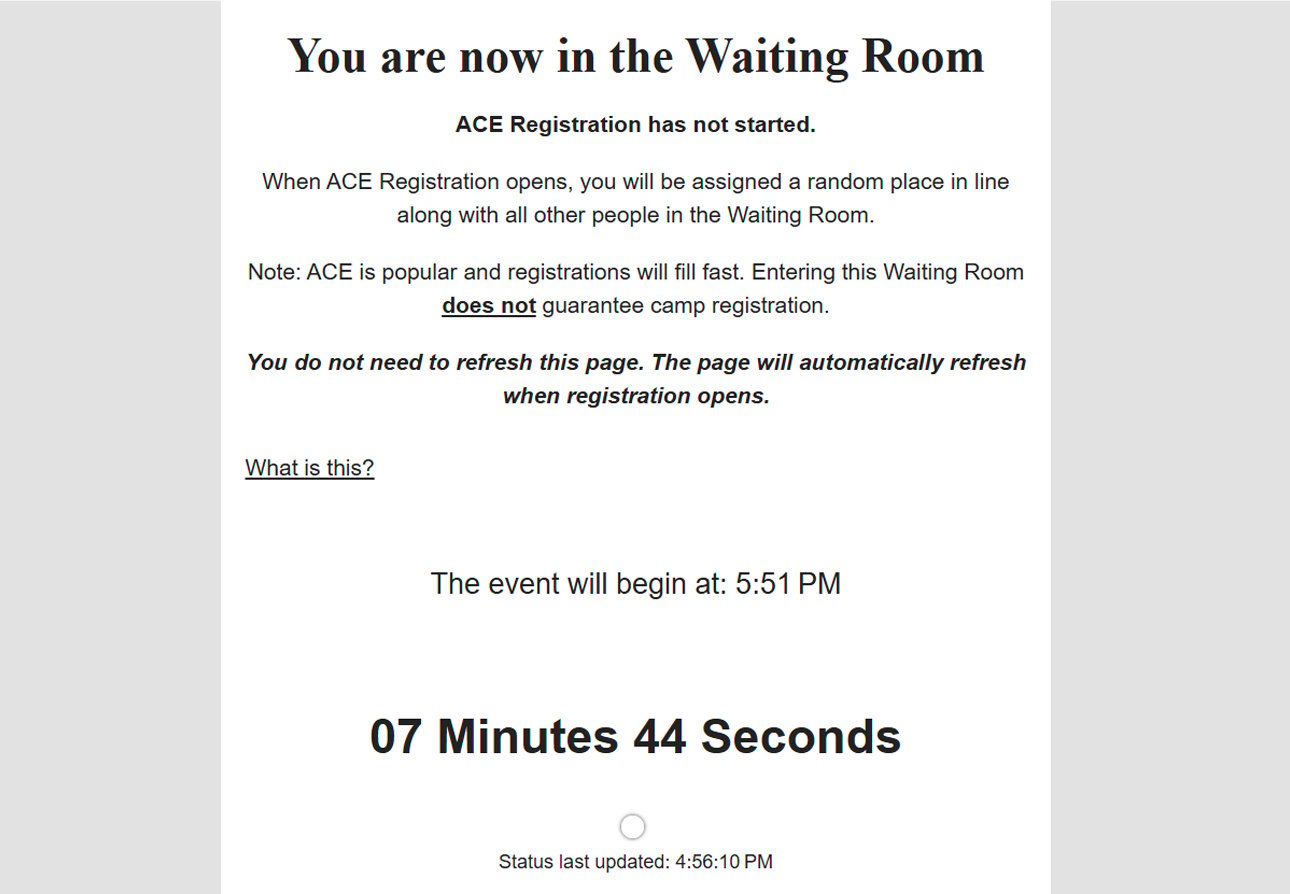
Upon entering the Registration Queue, you will be taken to a Waiting Room. This Waiting Room will open 30-minutes prior to Registration opening.
2. Registration Opens
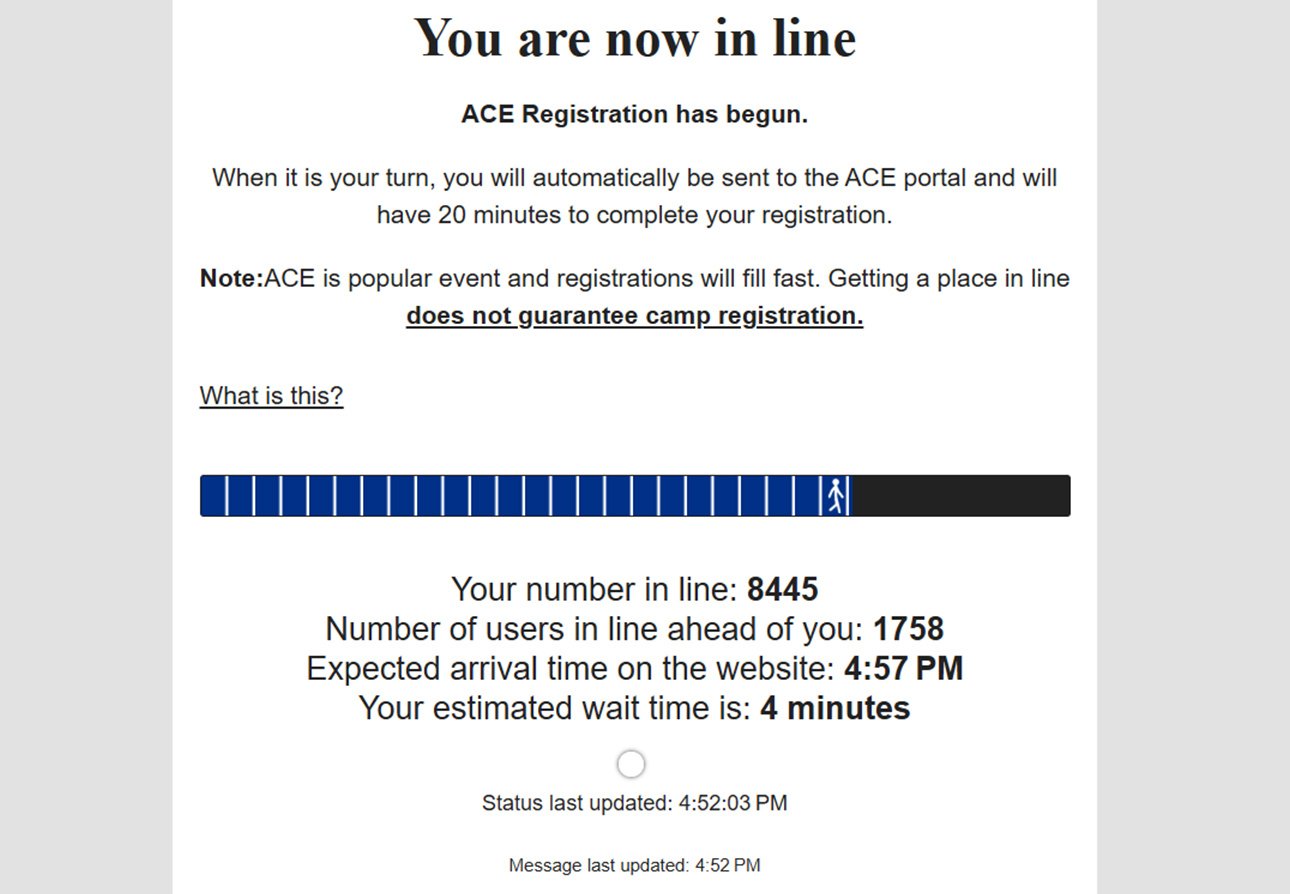
When Registration opens, all individuals in the Waiting Room will be randomly placed in line to access the Registration Portal.
3. Save Your Spot
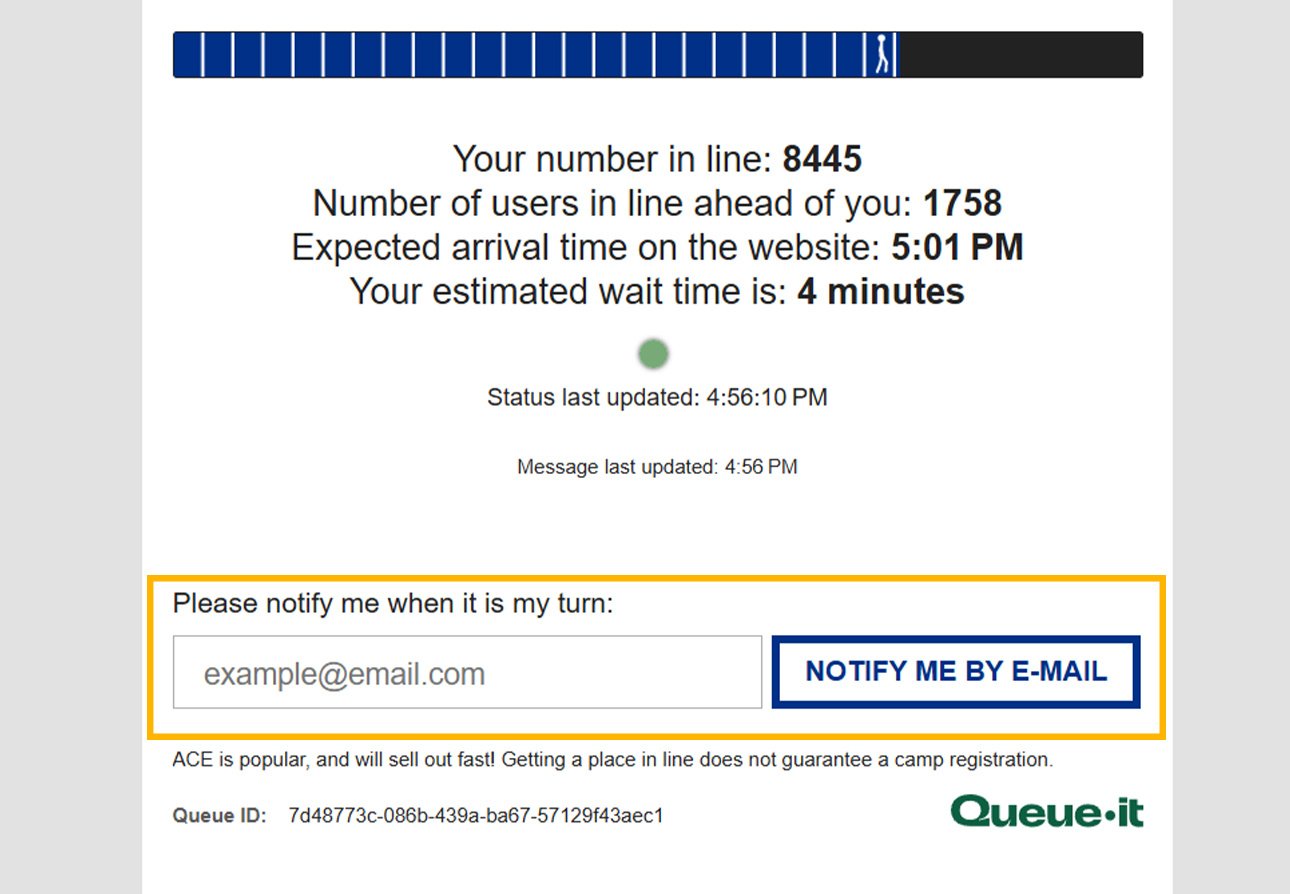
Once you are in line, your spot to access the Registration Portal is saved. You may keep the page open in your browser or enter an email address to receive an alert when it is your turn to enter the Registration Portal.
4. Log-In to Portal
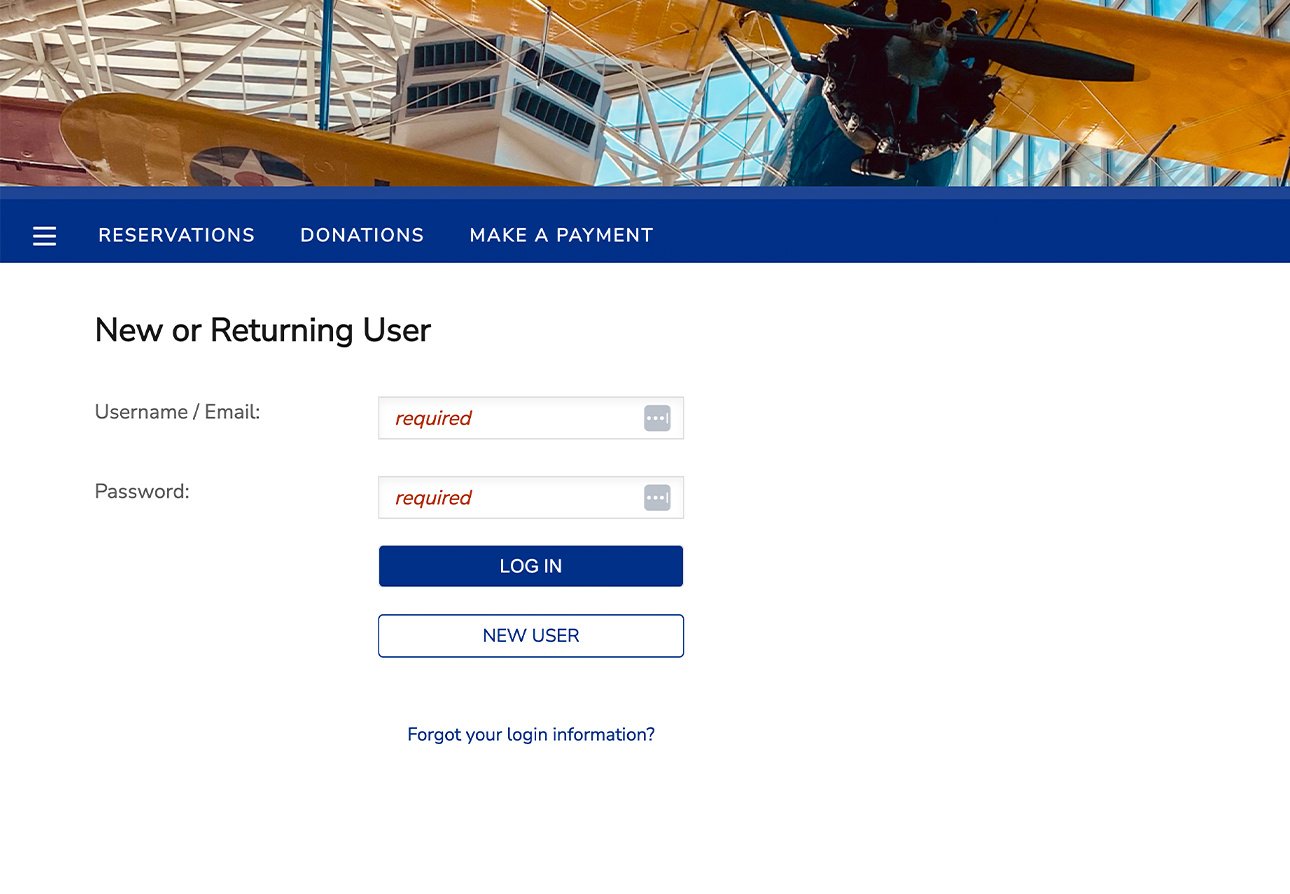
When it is your turn to enter the Registration Portal, you will be sent to the log-in page. Log in with your account information and begin Registration.
How-To Register Video (3-min)
Click the play button below for a quick review of how to complete Camp Registration. Full video transcript available under the FAQs at the bottom of this page.
ACE and Membership staff are available via phone and email prior to both Registration Days and up to 30-minutes prior to either Registration period opening. After Registration opens on either day, you can reach the ACE and Membership teams via email or by leaving a voicemail. They will respond as quickly as they can during the Registration process and in the order received.
Registration FAQs
Who is eligible for the Museum Member Early Access Registration?
Museum Members at Aviator level and above are eligible to register for ACE during the Member Early Access Registration on February 20. We strongly encourage you to update your Membership or purchase a Membership by 4:00 PM Thursday, February 19 to ensure your access to Early Registration and the $10 Member discount. To check if your membership includes this benefit, please visit the Levels and Benefits or email the Membership team at membership@museumofflight.org.
Note: Early Access does not guarantee registration for a Camp session. If you are unable to secure a reservation, Members are welcome to try again during General Public Registration on Saturday, February 21 at 10:00 AM.
Where can I find the password for the Member Early Access Registration period?
The password for Early Access to the Registration Portal will appear when you enter the Registration queue.
Will I need my Membership Number to register?
You are not required to enter your Member number during Registration, but it will be used to confirm your Membership status once the Early Access period concludes. To ensure that early access remains an exclusive privilege for Museum Members, any camp registration not linked to an active Membership will be canceled. If you need to verify your Member number before registering, please reach out to membership@museumofflight.org.
Should I create more than one registration account?
We ask that you do NOT create more than one account in the Registration Portal. Multiple accounts associated with the same camper can cause confusion during check-in and when providing the best care possible for your camper.
How is the order of the queue line determined?
Spots in the queue line are randomly assigned to each person in the Waiting Room when Registration opens. If you enter the Waiting Room at any point during the 30-minute window prior to Registration opening, you will be part of the group that is randomly assigned. If you enter the Waiting Room at or after the time Registration opens, you will be placed at the end of the queue line.
Can my spot be taken after I start Registration?
Generally, once a registration has begun, a hold on the spot will guarantee availability at time of checkout. However, at times of high-volume registration, the system will stop registrations once all spots are reserved and may result in a camp session becoming unavailable during the checkout process. Unfortunately, this is an automated feature and something we cannot control.
Will waitlists be available for full Camp sessions?
Waitlists for full camp sessions will be available during General Public Registration on February 21. The waitlists will remain active for all camps until the Wednesday before a camp session begins. ACE Staff actively fill any openings due to cancellations from these waitlists. If you wish to be added to our “Last Minute Call” list for a particular session, please reach out to the ACE Office at 206-716-0820 or email ACE@museumofflight.org.
How-to Register Video Transcript
Once you have logged in, select the camper you’d like to begin a registration for. Make your selection by clicking “Register” Confirm your camper’s grade in the coming Fall. Camps that are available for your camper will appear. Select the camp by clicking the box.
You will now be given an opportunity to select camps for other members of your account. This step is important if you are trying to register multiple campers in one transaction.
If you are registering during the Member Early Registration window, you will need to enter a password. This password is only available to eligible members through the virtual queue. It is case sensitive. Once you have started the registration process, a hold will be created that will last 15 minutes.
You'll have another opportunity to confirm your camper's personal information now.
Some sessions have multiple groups of the same age range. If your camper will be attending camp with a friend or family member, include that information here. Grouping requests should be mutual. If you have more questions about camp groups or friend requests, reach out to the ACE office.
You now have an opportunity to add options to your order. These options include selecting days you would like to add before or after care, confirming your camper’s t-shirt size for the included t-shirt, purchasing extra t-shirts, and whether you are interested in applying for a partial campership.
If you are interested in a partial campership, select this option for every camper you are registering to complete an application for each camper. Reach out to the ACE office for more information about our financial assistance program.
Confirm an emergency contact for your camper. This person should be a different individual than the primary contact, and if applicable, the secondary contact.
Confirm your contact information. This is the information ACE will use to communicate with you prior to camp and while your camper is in our care.
Sign the waiver for camp attendance. This form is required and must be signed by a parent or legal guardian.
Enter your Museum Membership status. If you are registering during the Member early registration window or claiming a Member discount, we will verify your membership status.
If you are registering a second camper or participating in a second camp, the system will prompt you through those registrations. Because each session has an opportunity to select different options, you will go through each page for each camp registration.
Once you have completed the information for each registration, you have an opportunity to review your cart. Click the ‘Next’ button once you are sure your order is complete.
If you are an Aviator Level Member or above, you are eligible to use a discount code for $10 off each camp registration. You can enter that by clicking Add Member Discount at the top and entering the coupon code available in your member email.
ACE offers a few different payment plan options. Select the one that works best for your situation. ACE accepts Credit and Debit cards, as well as direct bank transfers. If none of the listed payment optionsworks for your situation, please contact the ACE office to learn more about financial assistance and extended payment plans.
Once you have selected a payment plan, you will be taken to the page to collect payment. The “Due Now” amount will appear under the selected payment plan. Once you complete payment, a confirmation email will be sent to the email on file.
Once you have completed your registration, you can review your purchase and make payment in your online account.
Thank you for your interest in the Aerospace Camp Experience program, we are excited to see your camper this summer!
Don't see the answer to your question?
ACE Office
Phone: 206.716.0820 or Email: ACE@museumofflight.org
Membership Office
Phone: 206.764.5711 or Email: Membership@museumofflight.org